Thought Expense
Thought Expense is an AI-assisted personal finance app for Android and the web. People log expenses in plain language, and the backend turns them into categorized entries, budgets and spending insights.
- Category
- AI expense tracker app
- Platform
- Android app, web app & API
- Links
01
The problem
Most expense trackers ask for the same thing every time: open a form, choose a category, type an amount, pick a date. The friction is small, but it repeats — and it is usually why people stop tracking after a few weeks.
Even when the data is there, turning a list of transactions into an understanding of where money goes takes effort most people don't want to spend.
02
Product goals
- Make logging an expense as quick as typing a sentence
- Keep categories consistent for each user over time
- Never let the AI invent numbers in insights
- Offer a useful free tier with a clear path to Premium
03
Conversational expense entry
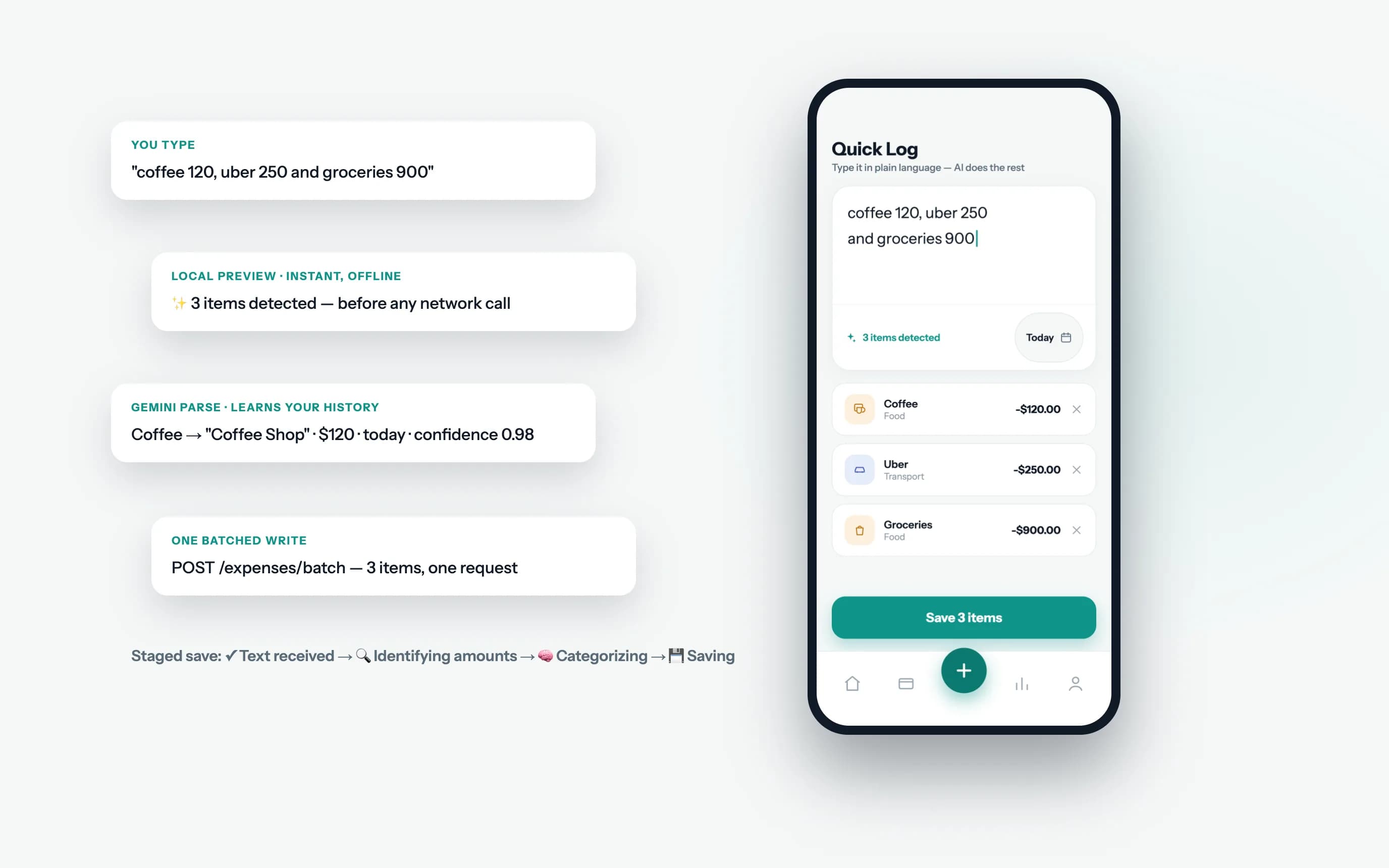
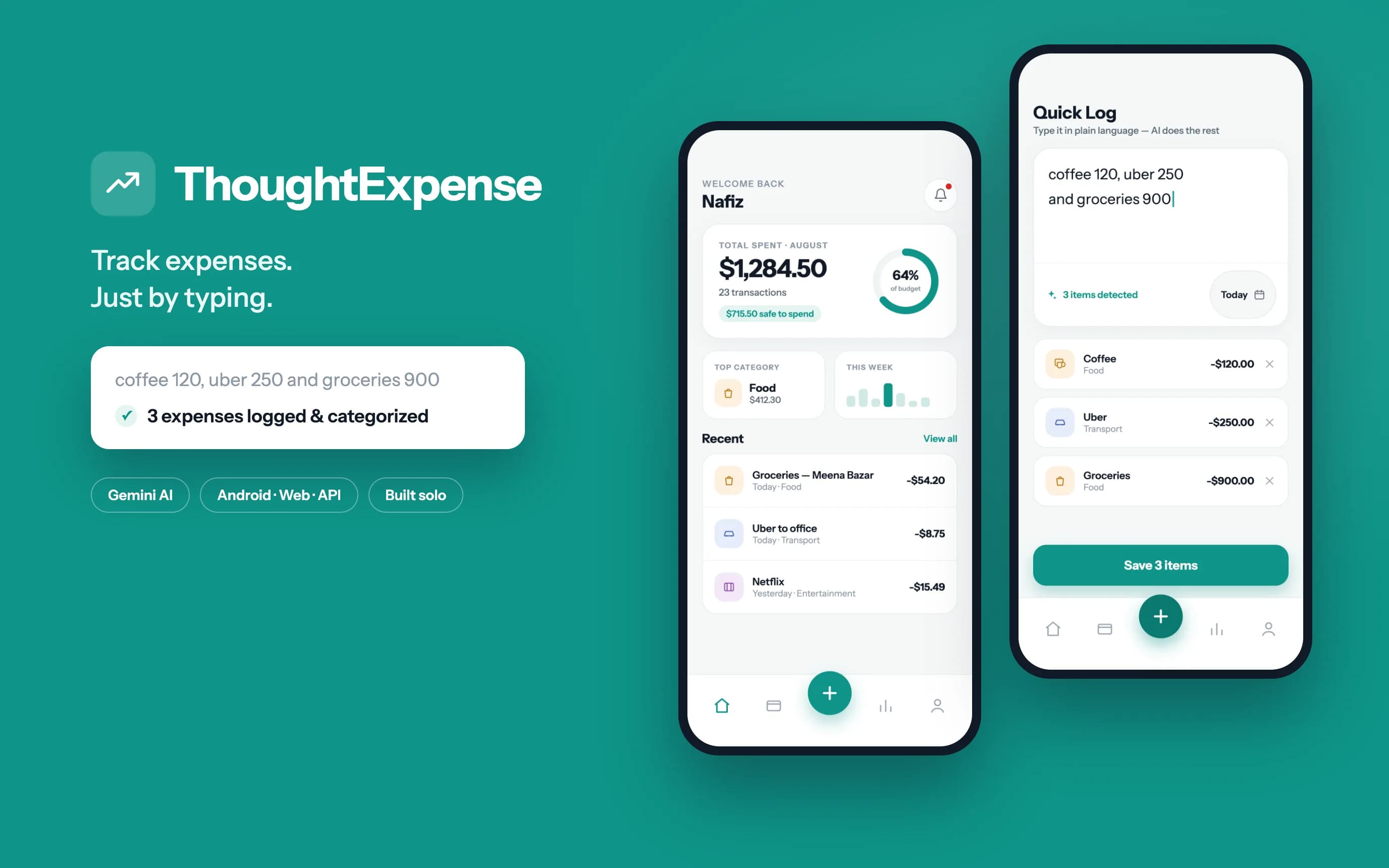
Quick Log is the core of the product. A user types something like “coffee 120, uber 250 and groceries 900” and gets three categorized, dated expenses. Gemini handles messy separators, currencies and natural dates such as “yesterday”, with the user's own history included in the prompt.
Latency is designed for rather than tolerated. A lightweight on-device parser previews detected items and category guesses before any network call, so composing works offline. The AI step shows staged progress, and all parsed items are saved in one batched write instead of one request per item.
04
Categorization that learns
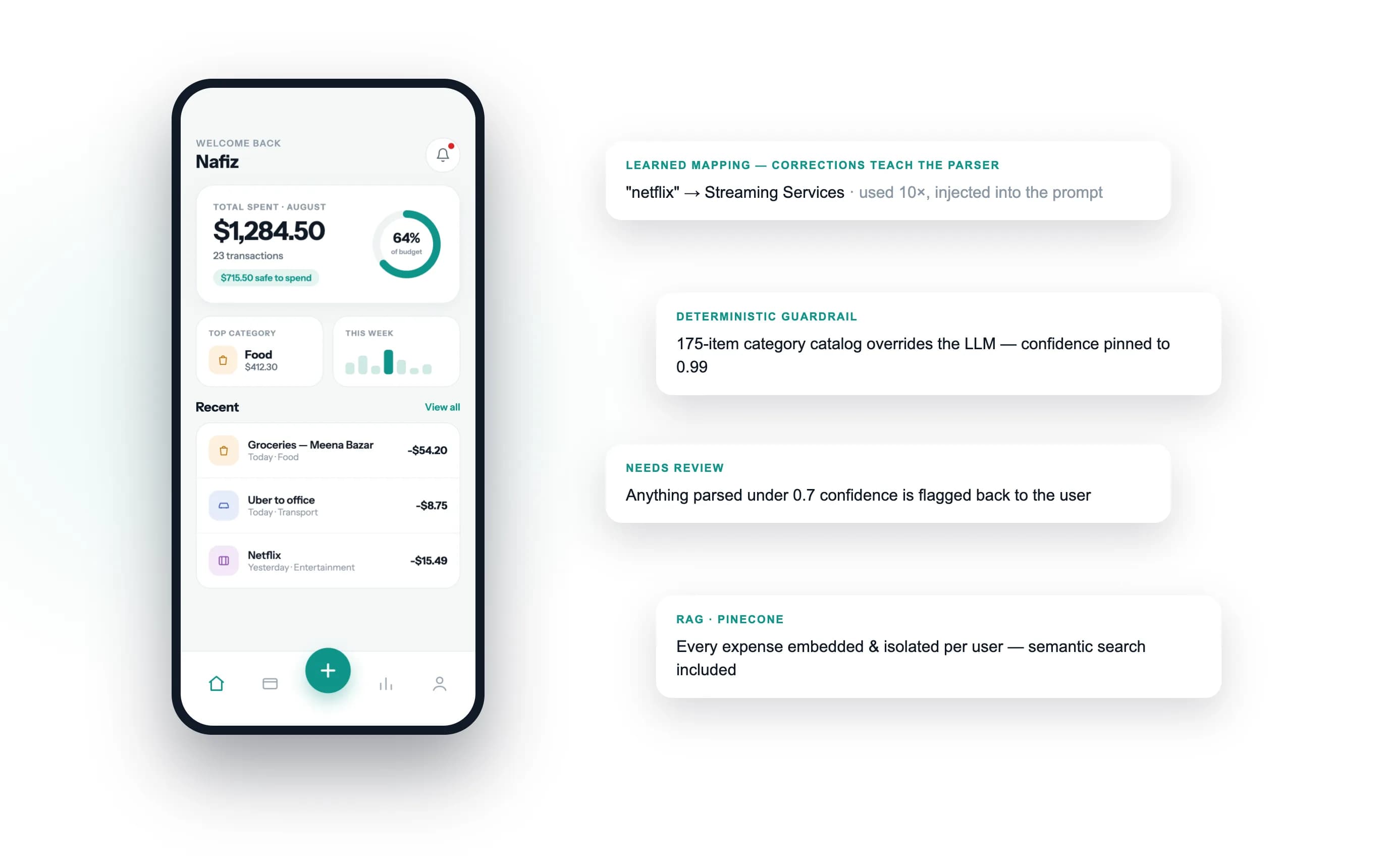
When a user corrects a category, the server stores a keyword mapping; successful parses reinforce it. Those learned mappings are fed back into the prompt, so the same merchant lands in the same category for that user every time.
Because a probabilistic model needs deterministic guardrails, a hand-written category catalog overrides the model when a known keyword matches, and low-confidence results are returned for the user to confirm rather than saved silently. Expenses are also embedded per user in Pinecone to support semantic search such as “coffee last month over 500”.
05
Insights: statistics decide, the model narrates
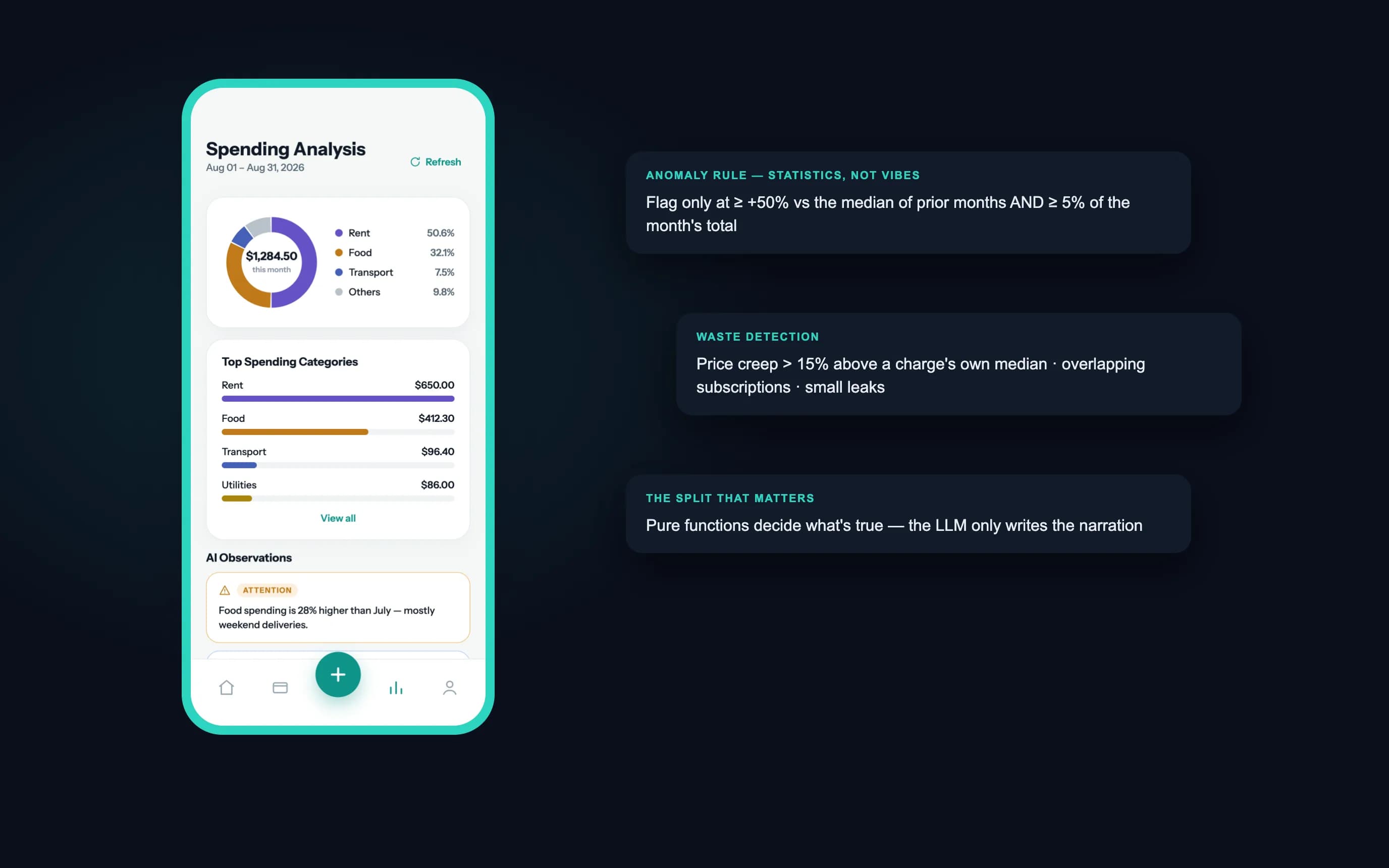
Insights that must be correct are never left to the model. Unusual spending, large transactions, overlapping subscriptions and creeping prices are detected with plain, currency-normalized functions and conservative thresholds.
The language model then writes the summary under strict rules: quote the real numbers, never invent them. The same approach powers a savings advisor and a weekly email briefing scheduled per user through a BullMQ queue.
06
Budgets, goals and multiple currencies
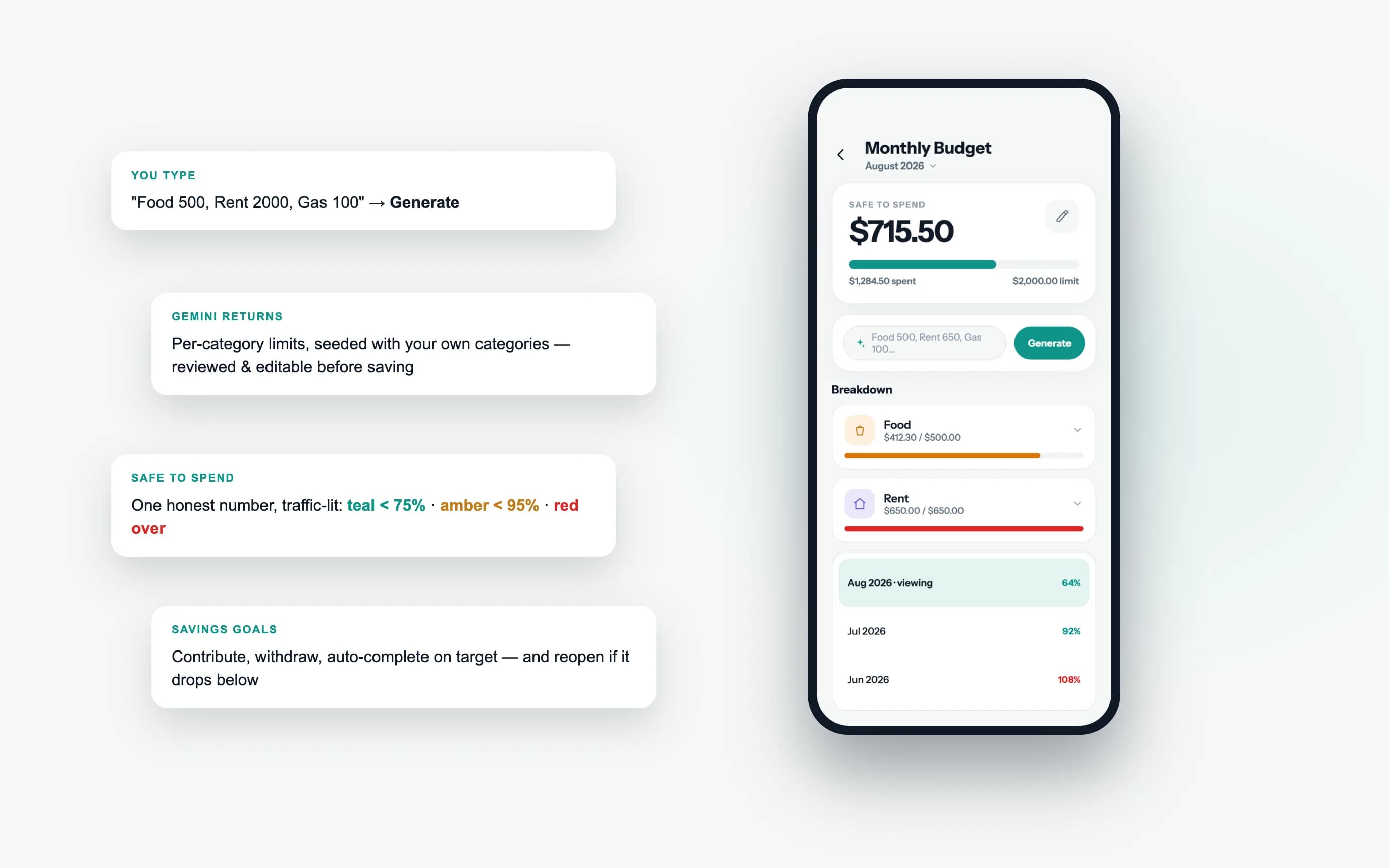
Budgets use the same interface as logging: type limits such as “Food 500, Rent 2000” in one line, review the generated breakdown, and save it. The budget screen leads with a single “safe to spend” figure and warns at 90% and 100% of a limit.
Amounts are stored in their original currency and converted when read, through a cached exchange-rate layer that falls back to the original amount rather than ever showing a wrong conversion.
07
Billing and the Premium tier
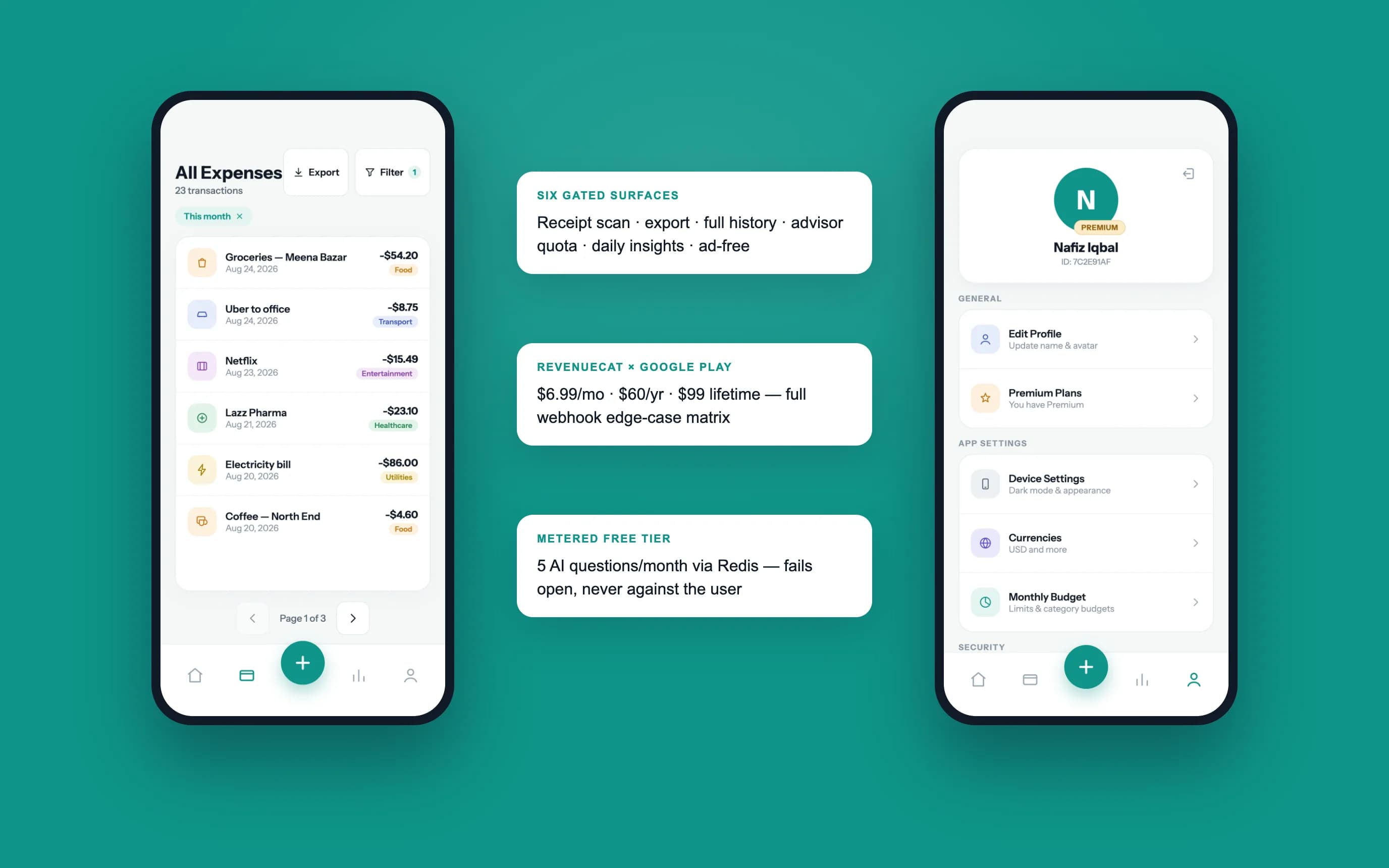
Premium features — receipt scanning, CSV and PDF export, full history and a larger advisor allowance — are offered at the point where a free user reaches a limit, not as interruptions. The advisor's monthly allowance is metered in Redis and fails open, so an outage never blocks the user.
Subscriptions run through RevenueCat on Google Play, with webhook handling for cancellations, billing grace periods and refunds.
08
Technical implementation
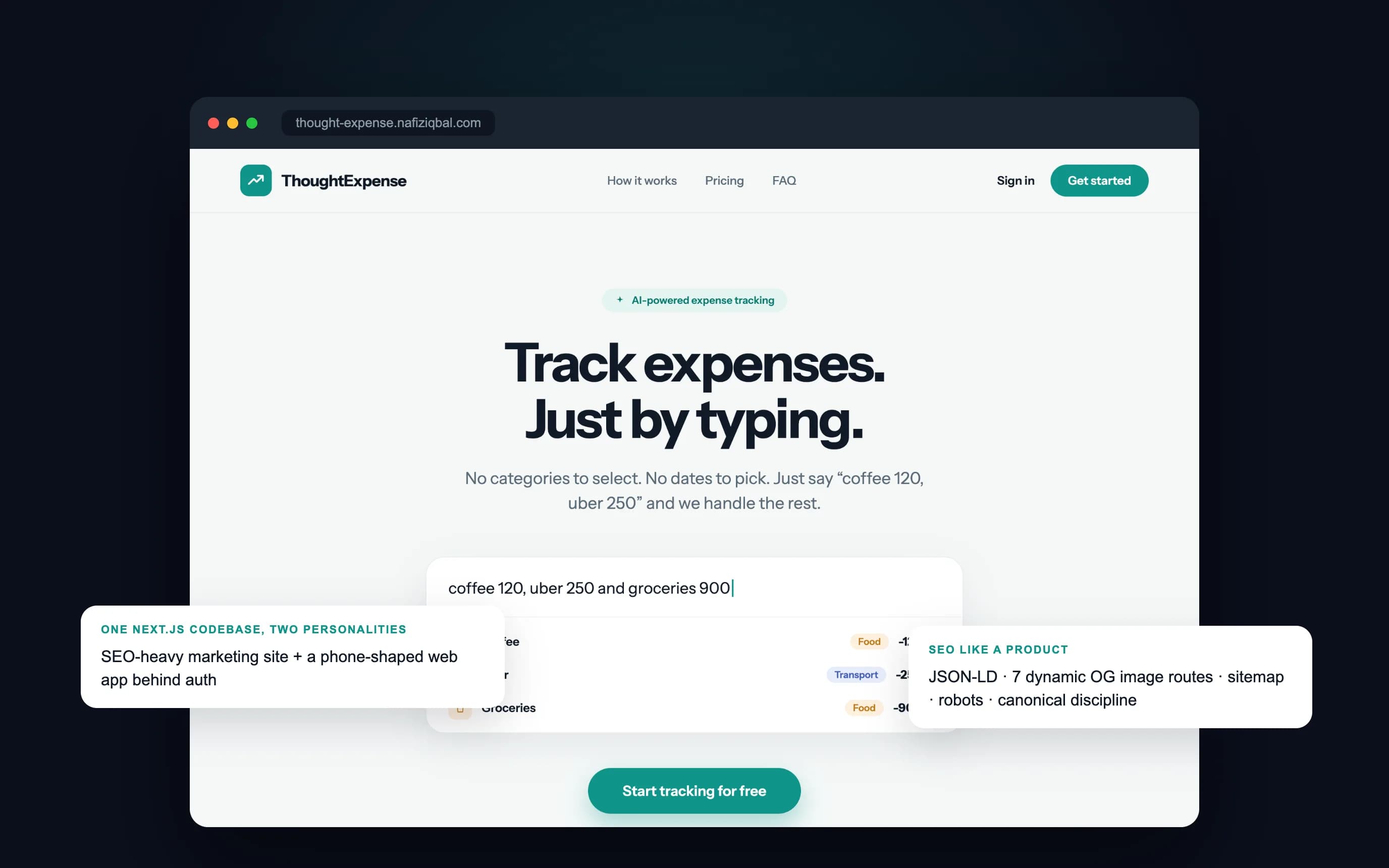
One Express API serves two clients: the React Native (Expo) Android app and a Next.js codebase that contains both the marketing site and a web version of the app. PostgreSQL with Prisma stores the core data, Redis and BullMQ handle quotas and scheduled jobs, Gemini performs parsing and narration, and Pinecone stores per-user embeddings.
The marketing site treats search as part of the product, with structured data, generated Open Graph images, a sitemap and robots rules that keep the signed-in app out of the index. Account deletion removes the user's data from the database, vector index, file storage and cache.
09
What this project reinforced
Put deterministic rules around probabilistic models wherever correctness matters, show progress instead of hiding latency, and design billing edge cases before launch rather than after the first refund.
Screens